
Menus
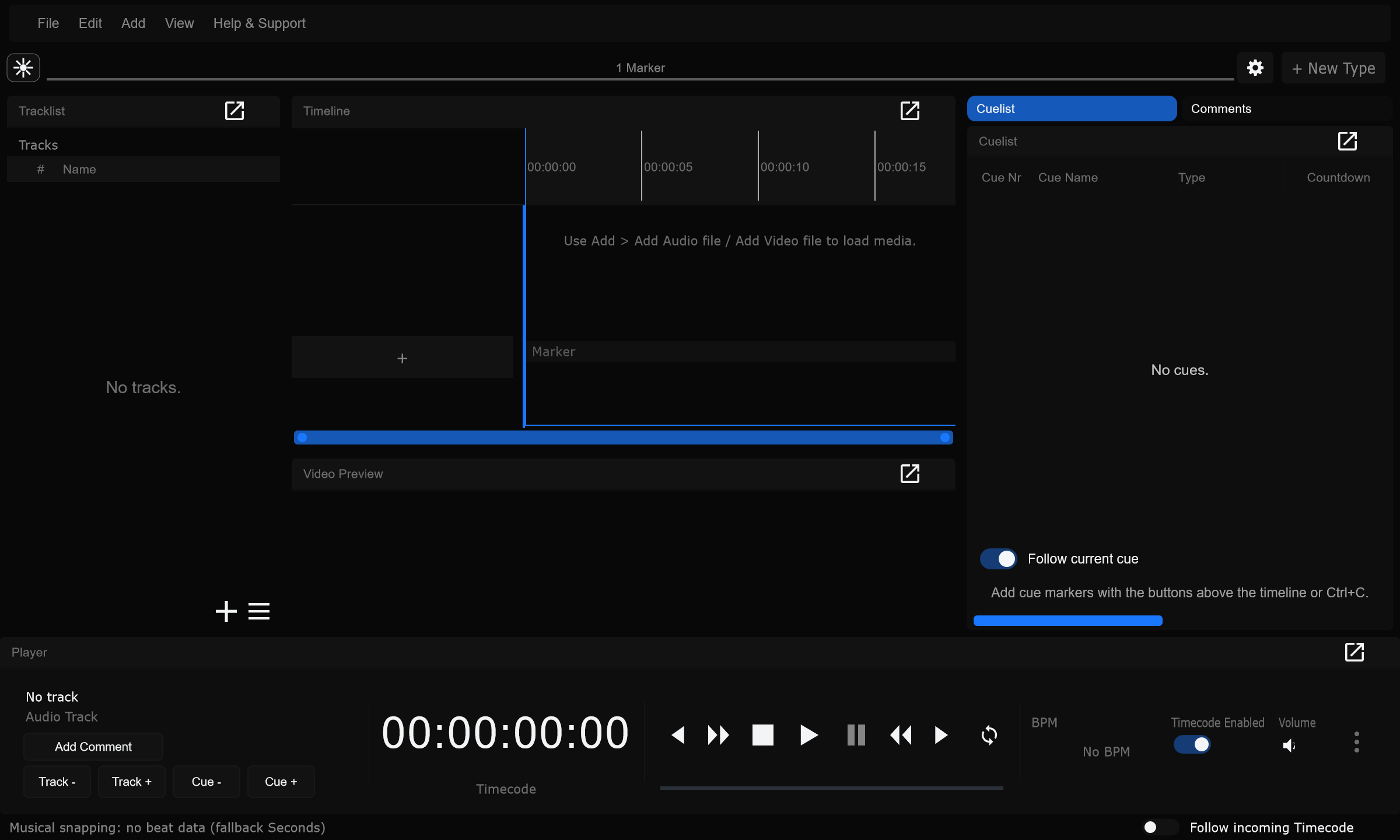
Main menu bar overview. On Mac, Ctrl shortcuts map to Cmd.

New Project
Section titled “New Project”Empty project (Ctrl+N).
When to use: Start a fresh local show file.
Open Project
Section titled “Open Project”Open a .samba file (Ctrl+O).
When to use: Load an existing project from disk.
Open Most Recent Project
Section titled “Open Most Recent Project”Reopen the latest usable Recent entry (Ctrl+R).
When to use: Jump straight back into yesterday’s show.
Open Recent
Section titled “Open Recent”Submenu of local files and Cloud - Name entries.
When to use: Pick from the last several projects without browsing.
Save Project / Save to Cloud
Section titled “Save Project / Save to Cloud”Save local file or push cloud structure (Ctrl+S). Label depends on session type.
When to use: After structural edits; do not rely on auto-save alone before major changes.
Save Project As… / Export Local Copy…
Section titled “Save Project As… / Export Local Copy…”Save a copy (Ctrl+Shift+S).
When to use: Fork a tour variant or export a local snapshot from cloud work.
Reveal Local Project Folder
Section titled “Reveal Local Project Folder”Opens the project folder in the OS file manager.
When to use: Find Media/ or the .samba file quickly.
Copy Local Path
Section titled “Copy Local Path”Copies the project path to the clipboard.
When to use: Paste the path into chat or a ticket.
Change Local Project Folder…
Section titled “Change Local Project Folder…”Retargets the local media folder for a cloud-linked project.
When to use: After moving the show folder to another drive.
Create multiple Tracks at once…
Section titled “Create multiple Tracks at once…”One track per dropped audio file.
When to use: Import a whole setlist folder in one pass. See Tracks.
Import…
Section titled “Import…”Grouped import dialog (Ctrl+I). See Import and export.
When to use: Bring in cues / data from lighting or media workflows.
Export…
Section titled “Export…”Grouped export dialog (Ctrl+E).
When to use: Hand off to grandMA3, PIXERA, or other targets.
Media Manager…
Section titled “Media Manager…”Inspect and relink clips. See Media Manager.
When to use: Fix missing media after a folder move.
Collect all media files
Section titled “Collect all media files”Copies used media into the project Media tree.
When to use: Pack a self-contained show folder before travel.
Cloud -> Open Cloud Project…
Section titled “Cloud -> Open Cloud Project…”Sign in / pick a cloud project.
When to use: Start or resume cloud collaboration. See Cloud projects.
Cloud -> Reconnect / Push to Cloud
Section titled “Cloud -> Reconnect / Push to Cloud”Resume a cloud-linked local folder.
When to use: After working offline with a cloud-linked project.
Close Cloud Session
Section titled “Close Cloud Session”Disconnect from the cloud session.
When to use: Leave cloud mode before opening a purely local file.
Quit (with unsaved-change check).
When to use: End of session.
Undo last action (Ctrl+Z).
When to use: Reverse a bad cue move or delete.
Redo (Ctrl+Y or Ctrl+Shift+Z).
When to use: Re-apply after an accidental undo.
Preferences…
Section titled “Preferences…”App-wide settings sidebar (Ctrl+P): General, Audio device, Recording, Timecode, Timeline, Timeline Waveform, Video Preview. See Preferences overview and Dialog footer.
When to use: Device, timecode, and timeline behaviour - not Connections or Shortcuts.
Connections…
Section titled “Connections…”grandMA3, Atem, Pixera, DMX, OSC Remote, Web & AI MCP. See Connections.
When to use: Wire desks, switchers, mediaservers, and remotes.
Shortcuts…
Section titled “Shortcuts…”View and remap keyboard shortcuts. See Shortcuts.
When to use: Match a house keyboard layout or muscle memory from another app.
Preferences no longer contain Shortcuts or Connections - those are sibling Edit dialogs.
Add Audio file
Section titled “Add Audio file”New audio layer / media.
When to use: Song stems and playback audio.
Add Video file
Section titled “Add Video file”New video layer / media.
When to use: Synced video on a track.
Add Image file
Section titled “Add Image file”New image layer / media.
When to use: Stills and logos.
Camera Layer
Section titled “Camera Layer”Live camera layer (no file).
When to use: Live camera in Video Preview / recording workflows.
Layouts -> Default
Section titled “Layouts -> Default”Balanced day-to-day layout.
When to use: Reset to a familiar arrangement.
Layouts -> Editing
Section titled “Layouts -> Editing”Programming-focused layout.
When to use: Long cue / timeline edit days.
Layouts -> Show
Section titled “Layouts -> Show”Show-friendly layout.
When to use: Show call.
Layouts -> Reset Layout
Section titled “Layouts -> Reset Layout”Reset splitters for the current layout.
When to use: After panels were dragged into an awkward split.
Tracklist / Track notes / Comments / Timeline / Cuelist / Player
Section titled “Tracklist / Track notes / Comments / Timeline / Cuelist / Player”Show or hide each dock. Details: Panels and layouts.
When to use: Hide unused panels on small screens.
Video Preview
Section titled “Video Preview”Submenu: Show Video Preview Panel plus per-layer visibility (Audio, Video, Image, Camera, Record Audio, Record Video).
When to use: Filter which layer kinds appear in the preview stack.
Output meters…
Section titled “Output meters…”Per-channel level meters for the current audio device output.
When to use: Diagnose silent or clipping outputs.
Help & Support
Section titled “Help & Support”About Samba
Section titled “About Samba”Version and build info.
When to use: Confirm which build support asked for.
License…
Section titled “License…”License dialog.
When to use: Check or update licensing.
Check for updates…
Section titled “Check for updates…”Compare to the latest release online. See Updates.
When to use: Before a tour week, confirm you are current.
Open log folder…
Section titled “Open log folder…”Opens the folder with Samba.log.
When to use: Attach logs for support.
System info…
Section titled “System info…”Computer, network, and connection status.
When to use: Snapshot environment for troubleshooting.
Capture UI for manual…
Section titled “Capture UI for manual…”Exports PNG screenshots of UI parts for documentation.
When to use: Refresh /screenshots/ assets from the live UI.
- Arrange the workspace
- Help & Support -> Capture UI for manual…
- Choose an output directory (for this site:
manual/public/screenshotsin the repo) - Samba writes PNGs and reports what was saved