
Preferences overview
Preferences holds app-wide defaults for the interface, audio, recording, timecode, timeline behaviour, waveforms, and video preview overlays. They are separate from project content (tracks, cues, media).
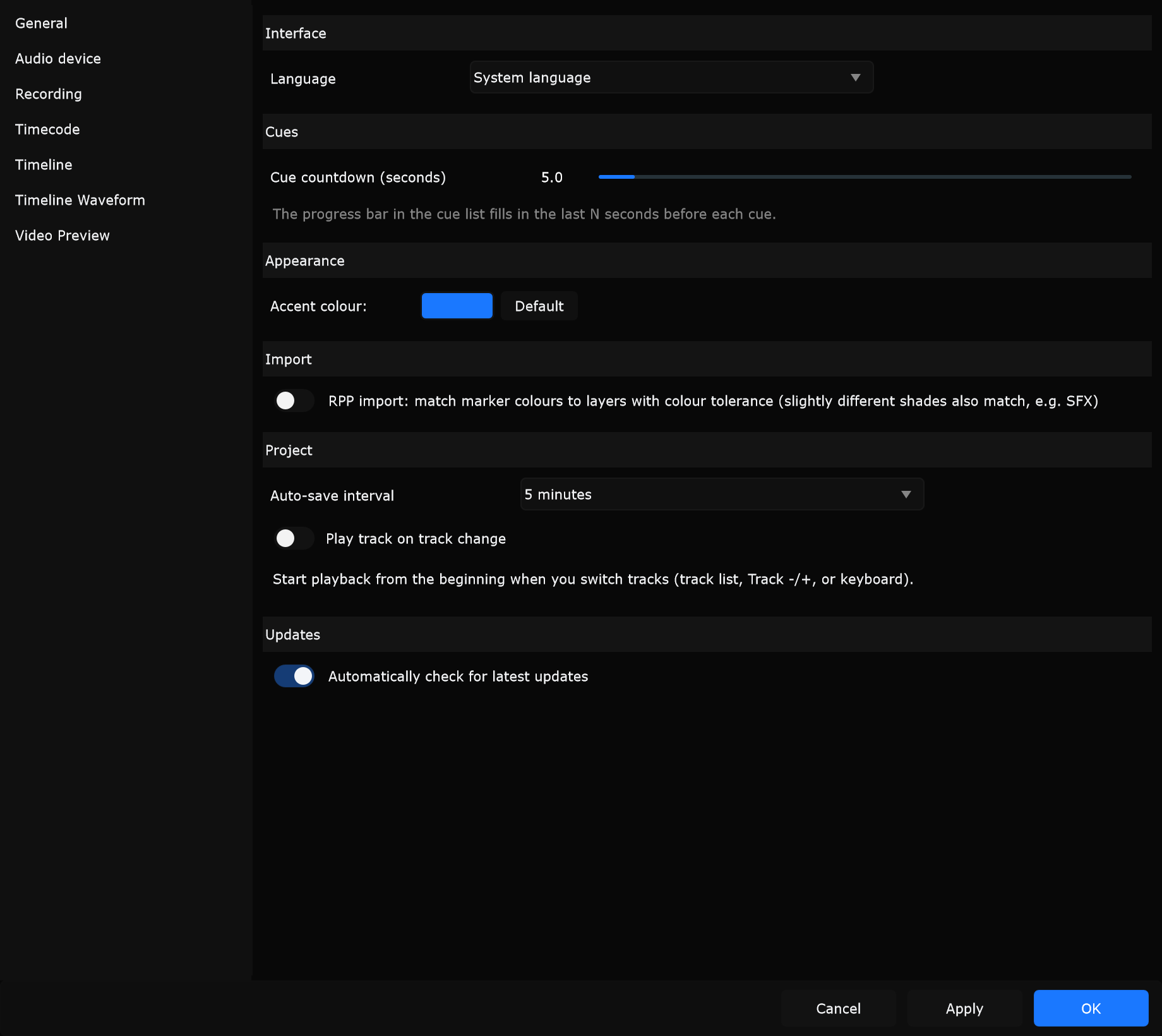
Open Preferences
Section titled “Open Preferences”- Choose Edit -> Preferences…
- Or use a Preferences shortcut if you assigned one under Edit -> Shortcuts…
Dialog title: Preferences.
OK / Apply / Cancel
Section titled “OK / Apply / Cancel”Full detail for Preferences, Connections, and Shortcuts: Dialog footer.
| Button | What it does |
|---|---|
| OK | Applies settings, then closes Preferences |
| Apply | Applies without closing so you can keep adjusting |
| Cancel | Closes without keeping unapplied edits from this session |
Enter acts like OK. Escape acts like Cancel.
Many controls on General, Timeline, and Timeline Waveform save as soon as you change them. Accent colour and audio/timecode routing apply on OK / Apply (timecode also pushes changes immediately on that page).
Sidebar pages
Section titled “Sidebar pages”Preferences uses a vertical sidebar on the left. Pages, in order:
- General - language, cue countdown, accent, RPP import, auto-save, play on track change, updates
- Audio device - driver, output, sample rate, buffer, track routing, video lock
- Recording - capture backends, format, separate audio, DeckLink, preview
- Timecode - follow / generate LTC, MTC, Art-Net
- Timeline - labelling, display, snapping
- Timeline Waveform - regular vs spectrogram drawing
- Video Preview - Cue ID and notes overlays; opens Notes overlay appearance
There is no Preferences page for keyboard shortcuts or show-control connections.
Not in Preferences
Section titled “Not in Preferences”| Menu command | Purpose |
|---|---|
| Edit -> Connections… | grandMA3, Atem, Pixera, DMX, OSC Remote, Web and AI MCP |
| Edit -> Shortcuts… | Remap keyboard shortcuts |
Suggested first pass
Section titled “Suggested first pass”- Audio device - reliable output (ASIO on Windows when you need low latency)
- Timecode - only if you slave to or generate LTC / MTC / Art-Net
- Timeline - snapping and stop/home for how you label
- General - language, auto-save, updates
- Recording / Video Preview / Notes overlay / Timeline Waveform - when you capture or polish the UI