
Connections - OSC Remote
Open Edit -> Connections… and select OSC Remote.
Receive OSC on a UDP port so phones, show controllers, or other apps can drive Samba without DMX.
This is not the grandMA3 Live Link page. grandMA3 uses its own OSC ports and plugin. OSC Remote is a general Samba control listener.
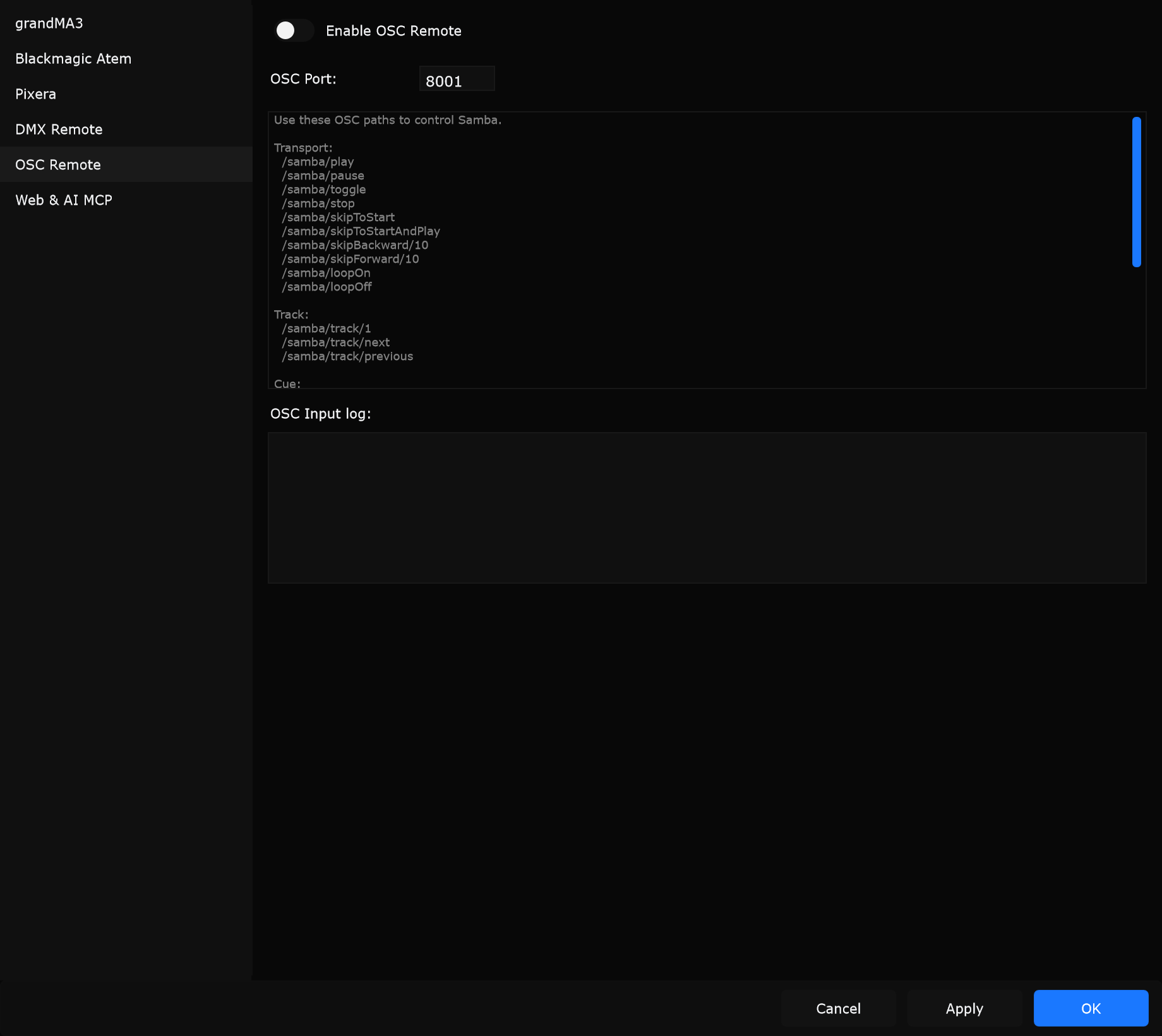
Controls
Section titled “Controls”Enable OSC Remote
Section titled “Enable OSC Remote”Starts or stops the OSC listener.
When to use: Enable when TouchOSC, Companion, or a custom sender should control Samba. Leave off if unused so the port stays closed.
OSC Port
Section titled “OSC Port”UDP port Samba opens for OSC input.
When to use: Match the destination port in your OSC sender. Change it if another app already owns the default port.
Path list (read-only)
Section titled “Path list (read-only)”Built-in list of supported paths (below).
When to use: Copy paths into your OSC layout while testing.
OSC Input log
Section titled “OSC Input log”Recent received messages.
When to use: Verify sender address, path, and arguments when nothing happens on stage.
Supported paths
Section titled “Supported paths”Transport
Section titled “Transport”/samba/play/samba/pause/samba/toggle/samba/stop/samba/skipToStart/samba/skipToStartAndPlay/samba/skipBackward/10/samba/skipForward/10/samba/loopOn/samba/loopOff
/samba/track/1/samba/track/next/samba/track/previous
/samba/cue/previous/samba/cue/next/samba/cue/5/samba/addCue/<typeName>(example:/samba/addCue/audio)/samba/addCue/<typeName>/<cueName>(example:/samba/addCue/audio/Test)/samba/addCue/<typeName>/<cueName>/<notes>(example:/samba/addCue/audio/Test/stage left)
Position
Section titled “Position”/samba/position/60(seconds)
Volume
Section titled “Volume”/samba/volumeUp/samba/volumeDown/samba/volumeUp/5/samba/volumeDown/5
Typical setup
Section titled “Typical setup”- Enable Enable OSC Remote.
- Set OSC Port.
- Apply.
- Send
/samba/playfrom your controller and watch the OSC Input log.