
Connections - Blackmagic Atem
Open Edit -> Connections… and select Blackmagic Atem.
Drive a Blackmagic ATEM switcher from Samba camera / director shots so preview and program follow the show.
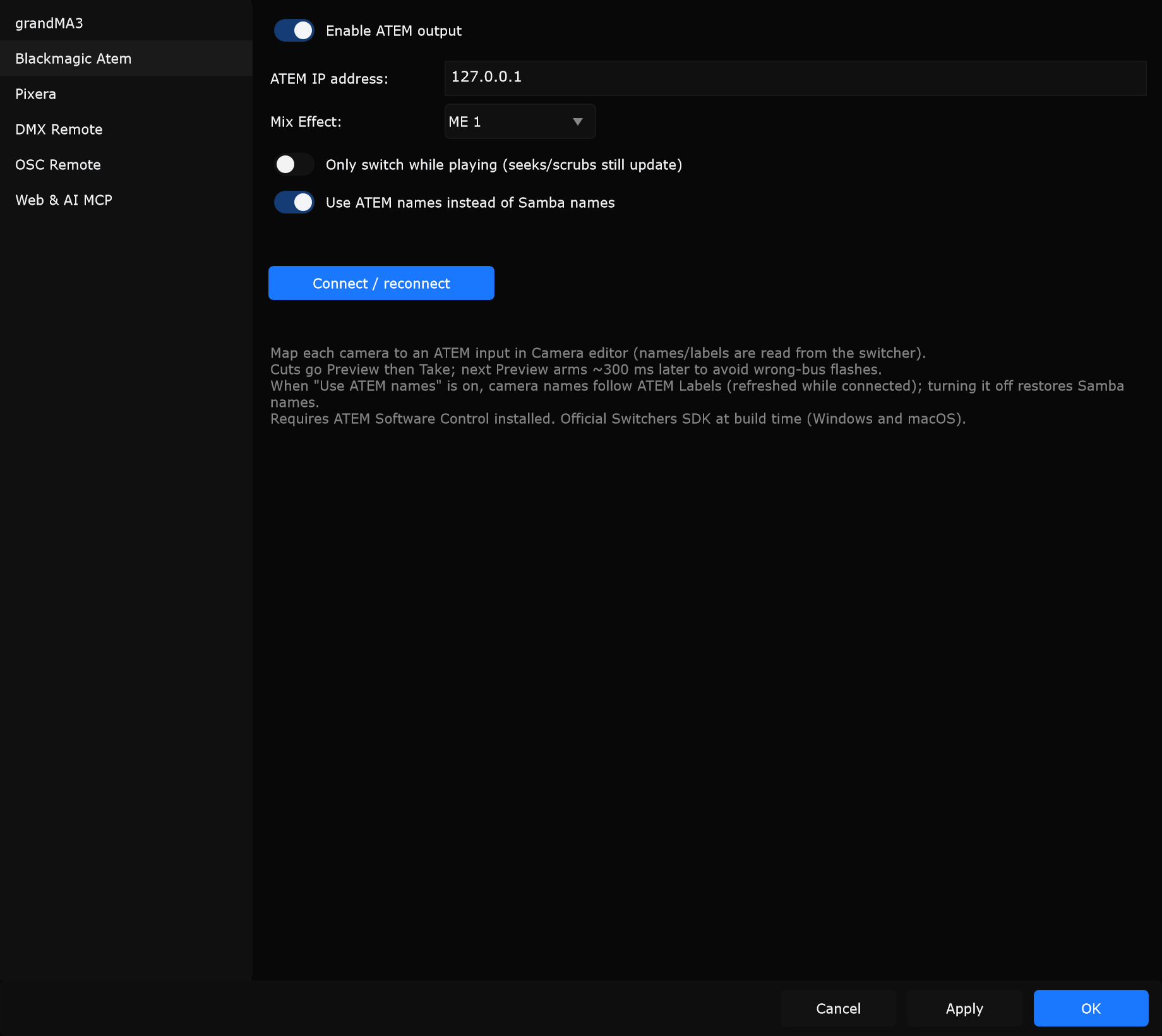
Controls
Section titled “Controls”Enable ATEM output
Section titled “Enable ATEM output”Turns ATEM control on or off.
When to use: Enable when an ATEM is on the network and Samba cameras should cut the switcher. Leave off when directing only inside Samba.
ATEM IP address
Section titled “ATEM IP address”IP of the ATEM switcher (example default often 192.168.1.240).
When to use: Use the address shown in ATEM Software Control. Wrong IP leaves status disconnected.
Mix Effect
Section titled “Mix Effect”ME 1 through ME 4.
When to use: Pick the ME bus that should follow Samba camera cuts (usually ME 1).
Only switch while playing (seeks/scrubs still update)
Section titled “Only switch while playing (seeks/scrubs still update)”When enabled, program cuts from camera changes focus on playback. Seeks and scrubs can still update as noted on the control.
When to use: On for show playback so scrubbing does not fire on-air takes. Off when rehearsing cuts while stopped.
Use ATEM names instead of Samba names
Section titled “Use ATEM names instead of Samba names”When on, camera labels follow ATEM Labels while connected. Turning it off restores Samba names.
When to use: On when operators know ATEM input labels. Off when Samba camera names are the source of truth.
Connect / reconnect
Section titled “Connect / reconnect”Opens or refreshes the ATEM connection using the current IP and options.
When to use: After changing IP or ME, or if status shows disconnected after a network blip.
Status
Section titled “Status”The status line reports connection health (connected, disconnected, or not available when the build has no ATEM SDK).
Camera mapping
Section titled “Camera mapping”Map each Samba camera to an ATEM input in the Camera editor (names/labels are read from the switcher). Cuts go Preview then Take; the next Preview is armed shortly after Take to avoid wrong-bus flashes.
Requires ATEM Software Control installed. Official Switchers SDK is used at build time (Windows and macOS).
Typical setup
Section titled “Typical setup”- Install ATEM Software Control on this computer.
- Enable Enable ATEM output.
- Enter ATEM IP address.
- Choose Mix Effect (ME 1-4).
- Optionally enable Only switch while playing and Use ATEM names instead of Samba names.
- Click Connect / reconnect and check status.
- Map cameras in the Camera editor.